Labor costs
What an hour of each agent costs your company, from a date on, and the company default - for profit, margin and break-even hours in Client Profitability.
Admin > Labor Costs holds what an hour of each of your agents costs the company - their wage, plus payroll taxes and benefits. Client Profitability costs the hours on each client's tickets at these rates, so it can show what each client really earns you. It's under Lists, with the accounting module on.
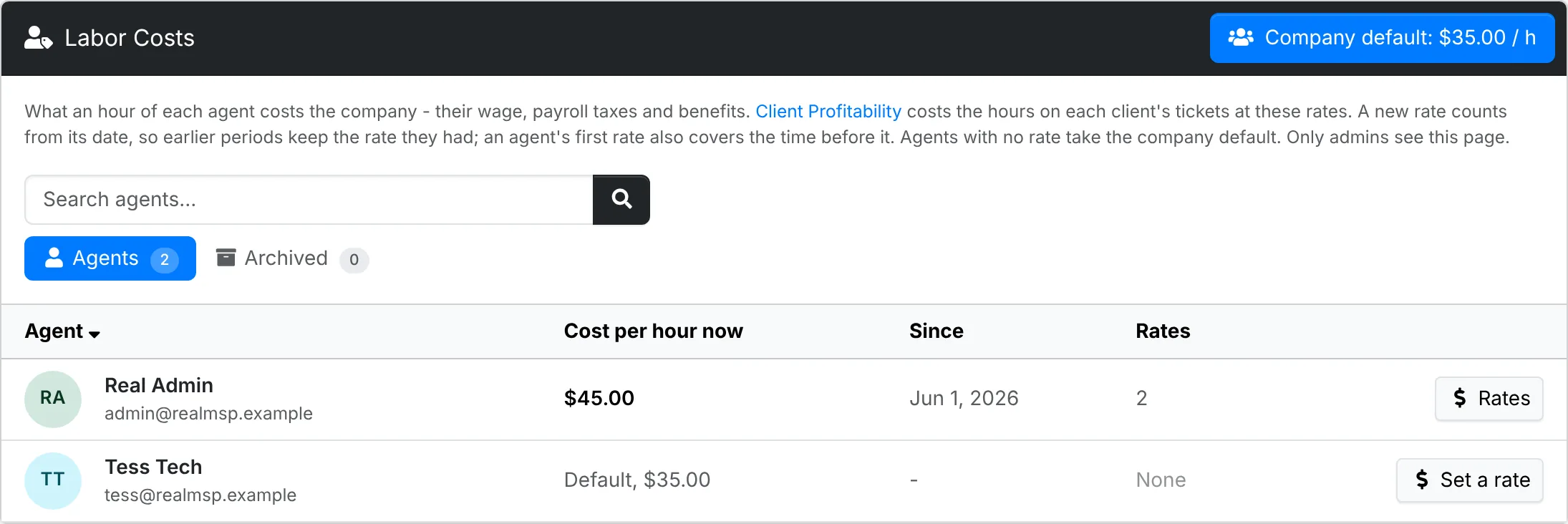
Every active agent is listed, with their cost per hour now and the date it has applied since. Archived lists agents who have left but have a rate, so their time in earlier periods is still costed. Search finds an agent by name or email, and the headings sort the list.
Only admins can see this page. The audit log records that an agent's rate was set, but never the amount.
Set an agent's rate
Click the agent's name, or Set a rate. Their window lists their rates, newest first. Under A new rate, enter the Cost per hour and the date it Counts from, then click Save the rate.
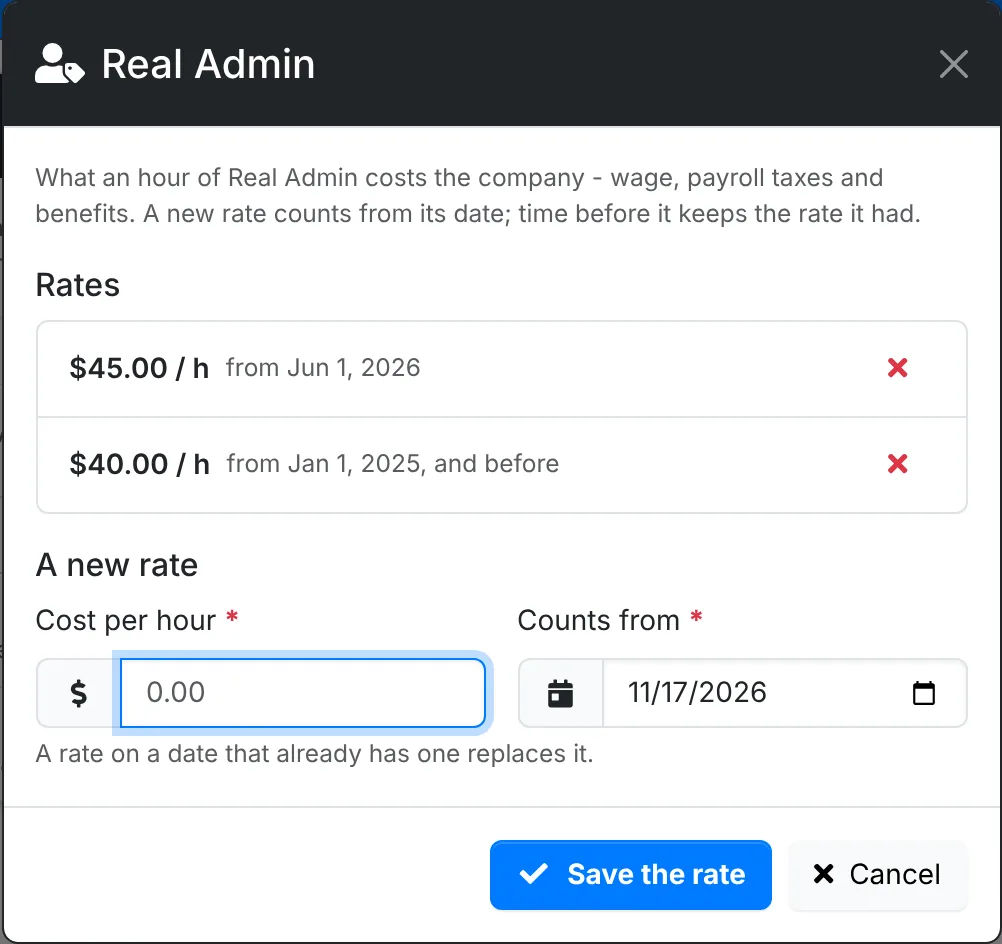
A new rate applies from its date, so a raise doesn't change what last year cost. Time before an agent's first rate is costed at that first rate. A rate on a date that already has one replaces it. The red cross takes a rate away, and their time is then costed at the rate before it.
The company default
Company default, at the top, is the cost per hour of any agent with no rate of their own - a blended figure for your team, say. Leave it empty and their time costs nothing in Client Profitability, which then says how many hours weren't costed.