Prepaid hours
Hours a client buys up front, or that a contract includes each month - drawn down by the time on their tickets before it's billed, with a warning when they run low.
A contract can hold hours the client has paid for - a block of 20 hours, say - and hours it includes each month. ITFlow takes the time on the client's billable tickets from those hours before it's billed, so the tickets they cover never reach an invoice.
Hours included each month
Set Hours included each month on the Cover tab of the contract's window - or its template's. They're for that month only: what isn't used doesn't carry over. [Monthly Hours] puts them in the contract's terms.
Add hours the client bought
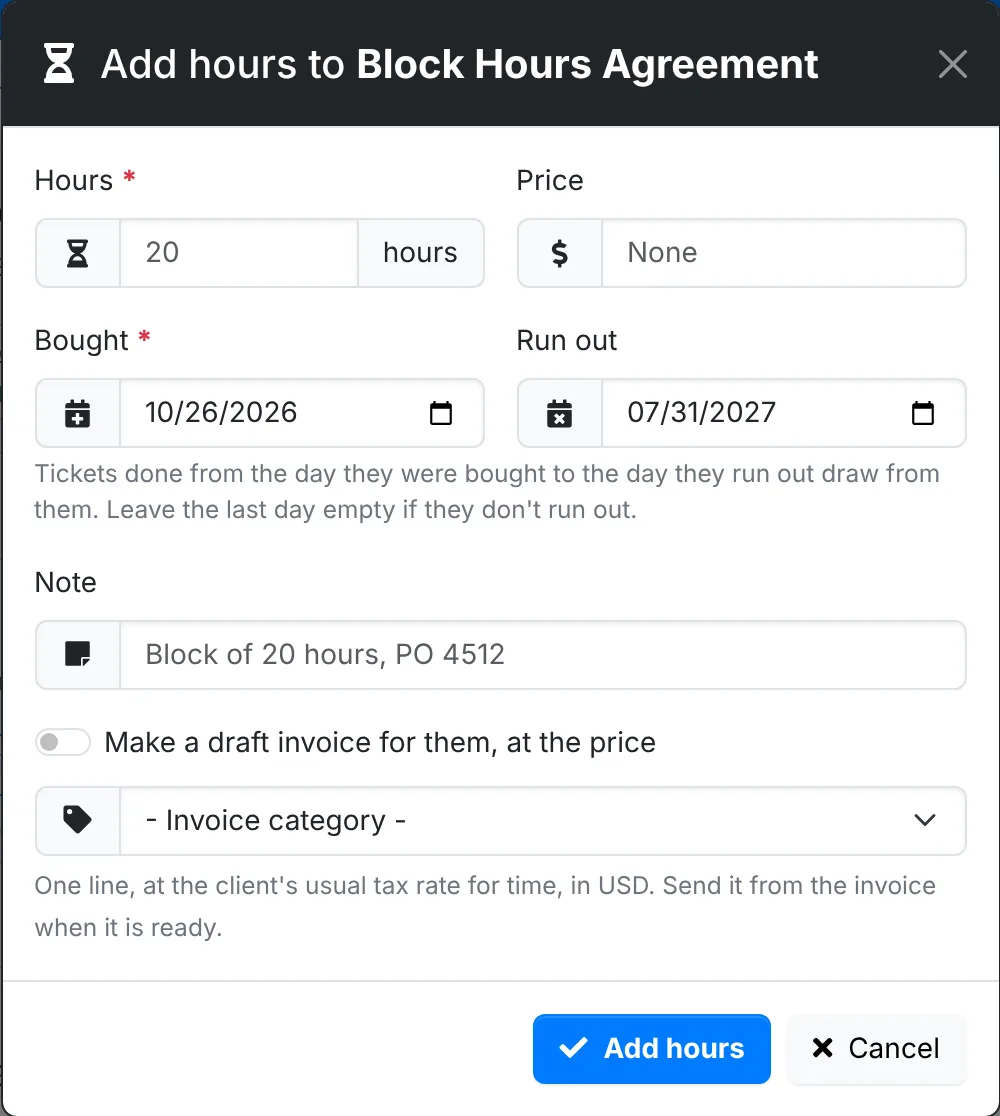
- On the contract's page, click Add hours on the Prepaid hours card - or Add prepaid hours on the contract's menu.
- Give the Hours, the Price, the day they were Bought, and the day they Run out. Leave Run out empty if they don't.
- Add a Note, such as the client's purchase order.
- Switch on Make a draft invoice for them, at the price to bill them, and pick the invoice category. It's one line, at the client's usual tax rate for time. Send it from the invoice when it's ready.
- Click Add hours.
Hours are added to a draft or active contract, or a cancelled one until its last day.
How hours are drawn
Every night, the time on the client's billable tickets is drawn from their hours, ticket by ticket:
- the oldest ticket first, from the hours that run out first
- only from hours that cover the day the ticket was done
- only while the contract is active - or, once it's cancelled, until its last day
- rounded the way Billing time in Admin > Settings > Invoice says
A ticket the hours cover leaves Unbilled time. One they run out on part way stays there with the rest of its time, billed at the usual rate. Draw now - on the contract, or on the client's Unbilled Time - does it straight away.
Each ticket's history says what it drew. A ticket worked on again after it was covered goes back to Unbilled Time for the extra time.
The Prepaid hours card
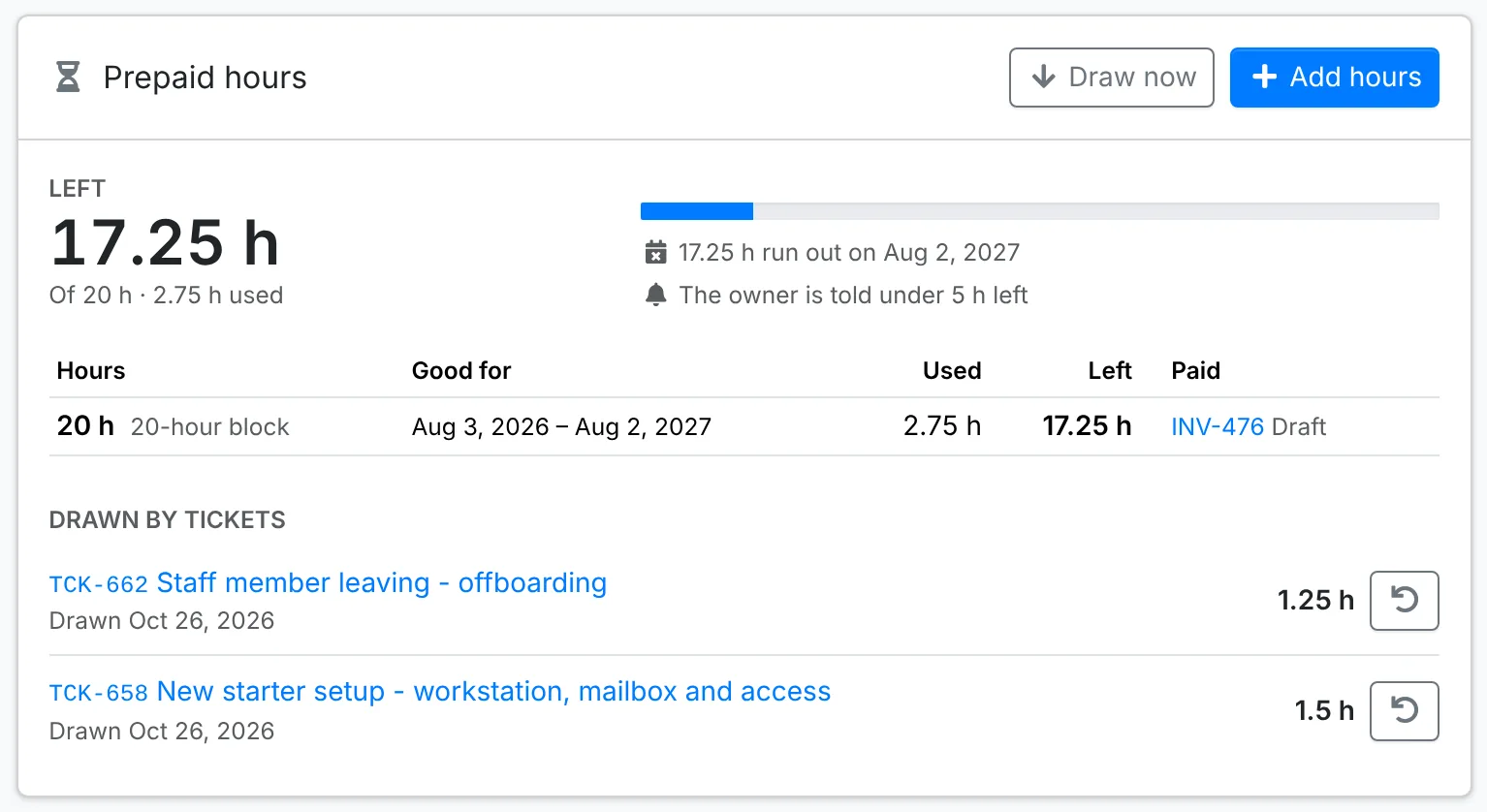
The card shows:
- what's left, and of how much
- what runs out when
- each block of hours, with the days it's good for, what was used of it, and its invoice
- the tickets drawn from them
Put back, beside a ticket, returns its hours and bills it as usual. The nightly draw then leaves it alone until you click Draw it on the ticket. Hours nothing was drawn from can be deleted. Once a ticket is invoiced, its hours stay drawn.
When hours run low
Set Tell the owner under on the Cover tab - 5 hours, say. When the hours left fall below it, the contract's owner is emailed and agents are notified in ITFlow - once, until more hours are added. Agents are also told when the hours run out part way through a ticket.
Where else they show
- The contracts list shows the hours left on each contract, and the client overview the hours left across them.
- A ticket shows what it drew.
- Unbilled Time shows what's left, with Draw now, and how much a ticket's hours were cut by.
- In the client portal, a contract shows the hours left, what runs out when, and the tickets they went on - a ticket's subject only to a contact who can open it.