Contract templates
Your standard agreements set up once - their type, term, renewal and notice, what they cover and their terms - so a new contract starts from one in a click.
A contract template is one of your standard agreements: "Fully Managed Services", "Co-Managed IT", "Block Hours". New Contract can start from one, which fills in the contract's type, term, renewal, notice, cover and terms.
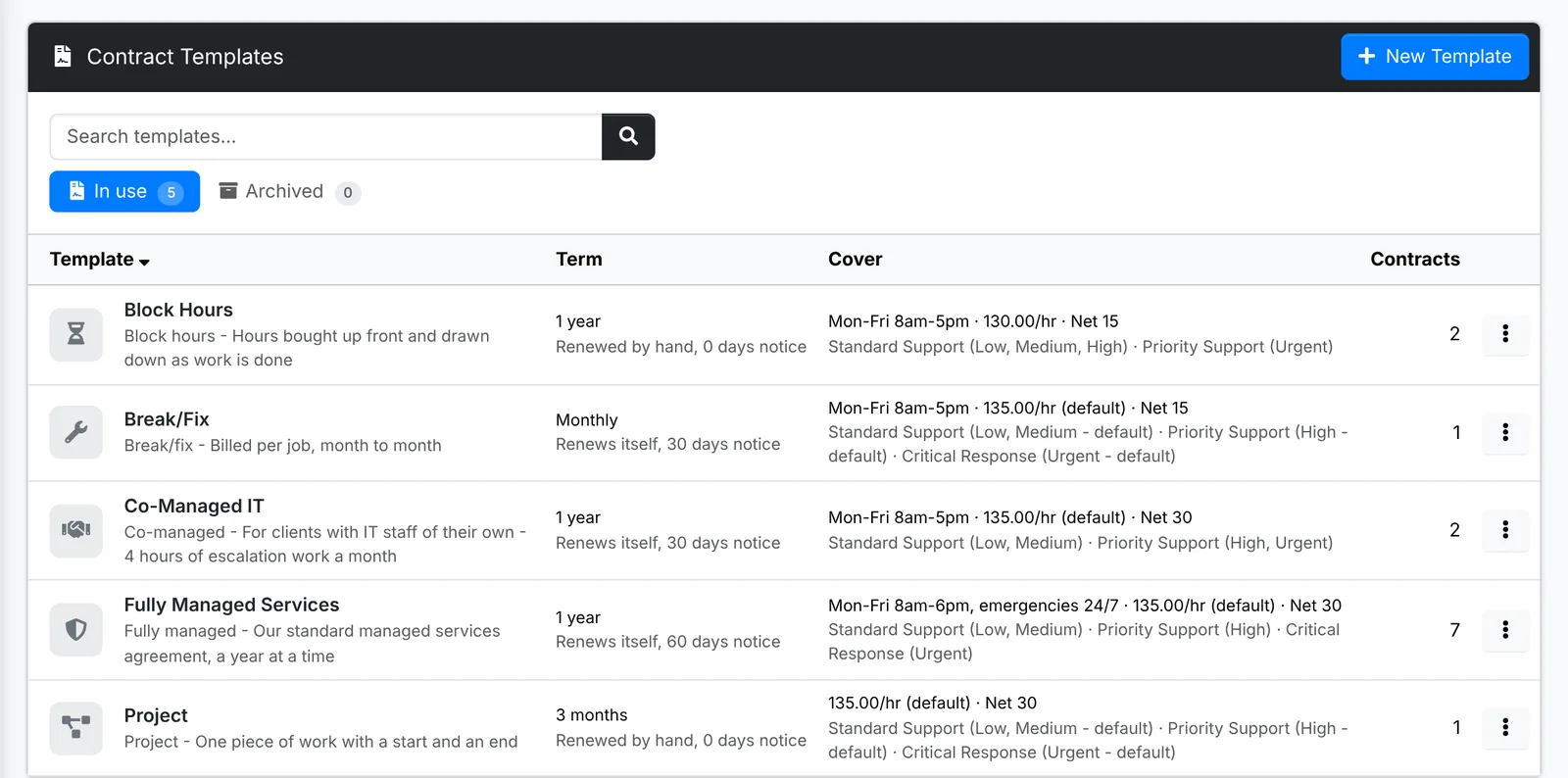
Admin > Contract Templates shows each template with its type, its term and renewal, the notice, its cover - support hours, rate and net terms, and the SLA for each priority, with your default for anything the template leaves empty, marked default - and how many contracts were started from it. There are tabs for the ones In use and the Archived ones. Search, and sort by name, term or contracts.
Add or change a template
Click New Template, or Edit on a template's menu. The window has three tabs:
- Template - its Name, a Description, the Type, Term, whether it Renews itself for another term, and the Notice to end it
- Cover - the support hours, hours included each month, rates, net terms and an SLA for each priority, as on a contract
- Terms - the agreement's words, with the same placeholders as a contract
A template has everything a contract has except the client and the dates.
Copy, archive or delete
- Copy makes "Name (copy)", to start a variation.
- Archive takes a template off New Contract and keeps it. Restore brings it back.
- Delete leaves the contracts started from it as they are.